

WTF is Retopology?
The skill AI mesh generation can't replace and why that matters right now

A few months ago I was talking to someone outside the 3D industry who had just used one of the AI mesh generation tools for the first time. He was thrilled. He pulled up a 3D model of a character based on one of his drawings and said, “Look at this. Are you worried Meshy will replace 3D Artists?”
I asked him to show me the wireframe view.
He didn’t know how. So I showed him. And what we saw underneath that generated model was a plate of spaghetti that got run over by a lawnmower. Thousands of triangles pointing in every direction, no logic, no structure, incredibly dense in places where density hurt and thin in the places where it mattered most. The kind of mesh that would turn into a horror show the moment someone tried to actually work with it.
He asked, “How would you fix that?”
I told him it was retopology, and after explaining that that was not another AI tool, we got into it.
What topology actually means
Before retopology makes sense, you need to understand topology itself. It’s a word 3D artists use constantly and almost never explain.
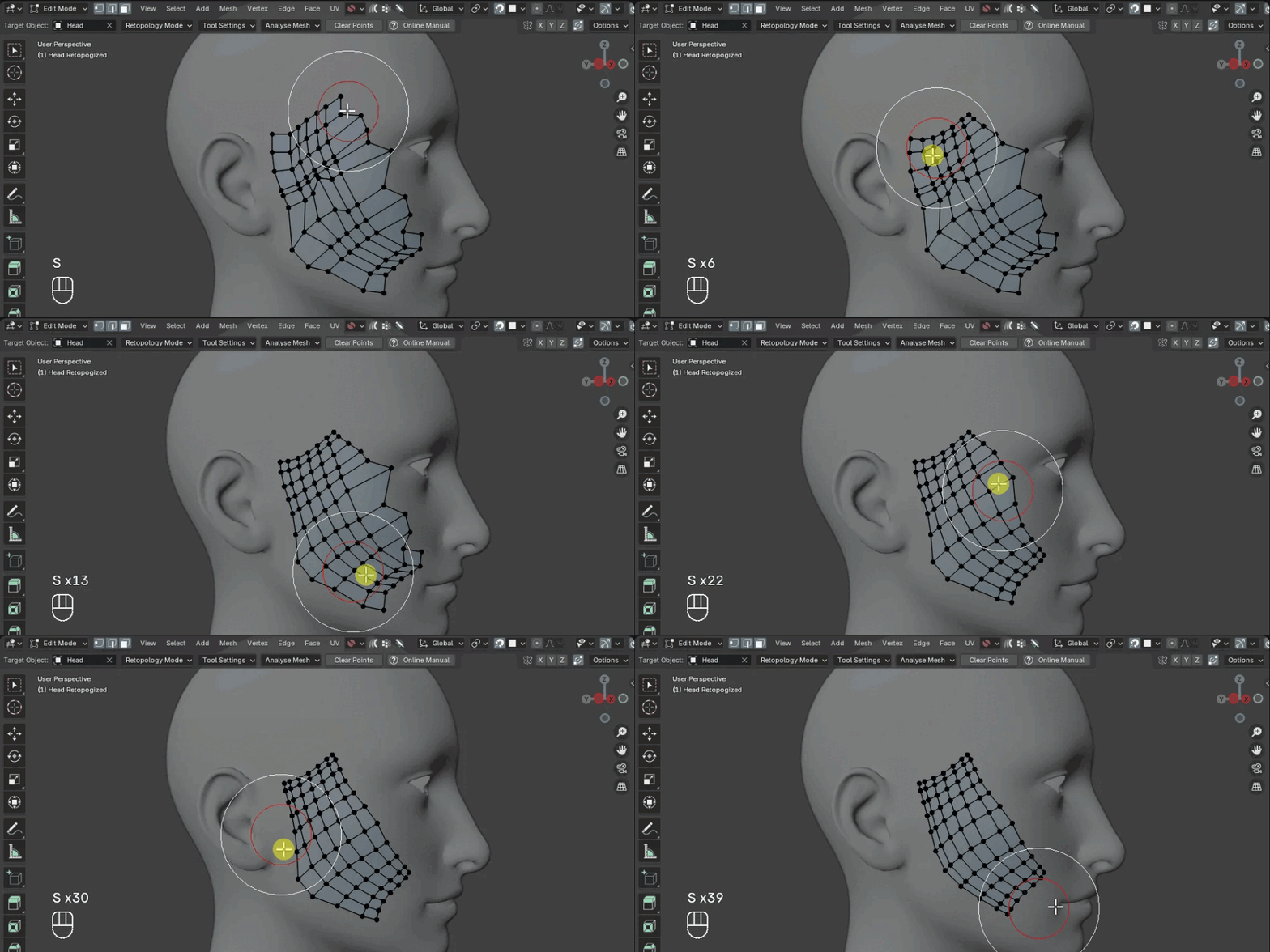
Every 3D model is made of polygons. Flat geometric shapes that connect at their edges and corners to form a surface. Topology is just the word for how those polygons are arranged. How many there are, what shape they are, where they flow, how they connect.
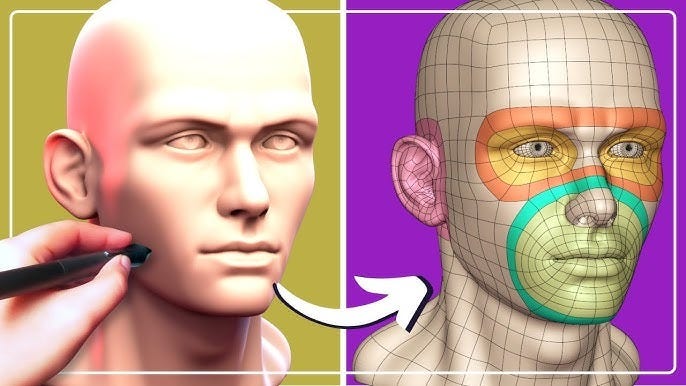
Good topology follows the form of whatever you’re building in a deliberate way. On a human face, experienced artists build what are called edge loops or continuous rings of polygons that circle the eyes, the mouth, the jaw. Those loops exist because when the character smiles, blinks, or speaks, the geometry needs to deform in a way that resembles real flesh moving. If the polygons aren’t arranged to support that movement, the surface stretches wrong, pinches, caves in. The face stops looking like a face and starts to look janky and off-putting to the audience.
On a car door, none of that matters, because a car door doesn’t animate outside of its hinges. You need clean geometry that renders well and holds its hard edges, but you don’t need loops that anticipate movement. Far fewer polygons, an entirely different structure.
But take that same car model and use it in a simulation of what happens when it gets t-boned by another vehicle. Now you need dense, carefully distributed geometry to accurately represent how the body deforms on impact. The requirements changed completely but from the outside it’s the same model. How would you know which situation it is?
That’s the point. Good topology is subjective to the situation. AI struggles to spit out the right topology for your use case because it simply doesn’t have that context. Good topology is topology that serves what the model needs to do.
Where retopology came from
Retopology as a discipline didn’t really exist until sculpting software changed how artists worked.
For most of 3D history, artists built models by hand in packages like Maya or 3ds Max, placing polygons deliberately through extrusions and other modeling operations, one section at a time. The workflow forced you to think about topology as you went because you were constructing the mesh from scratch.
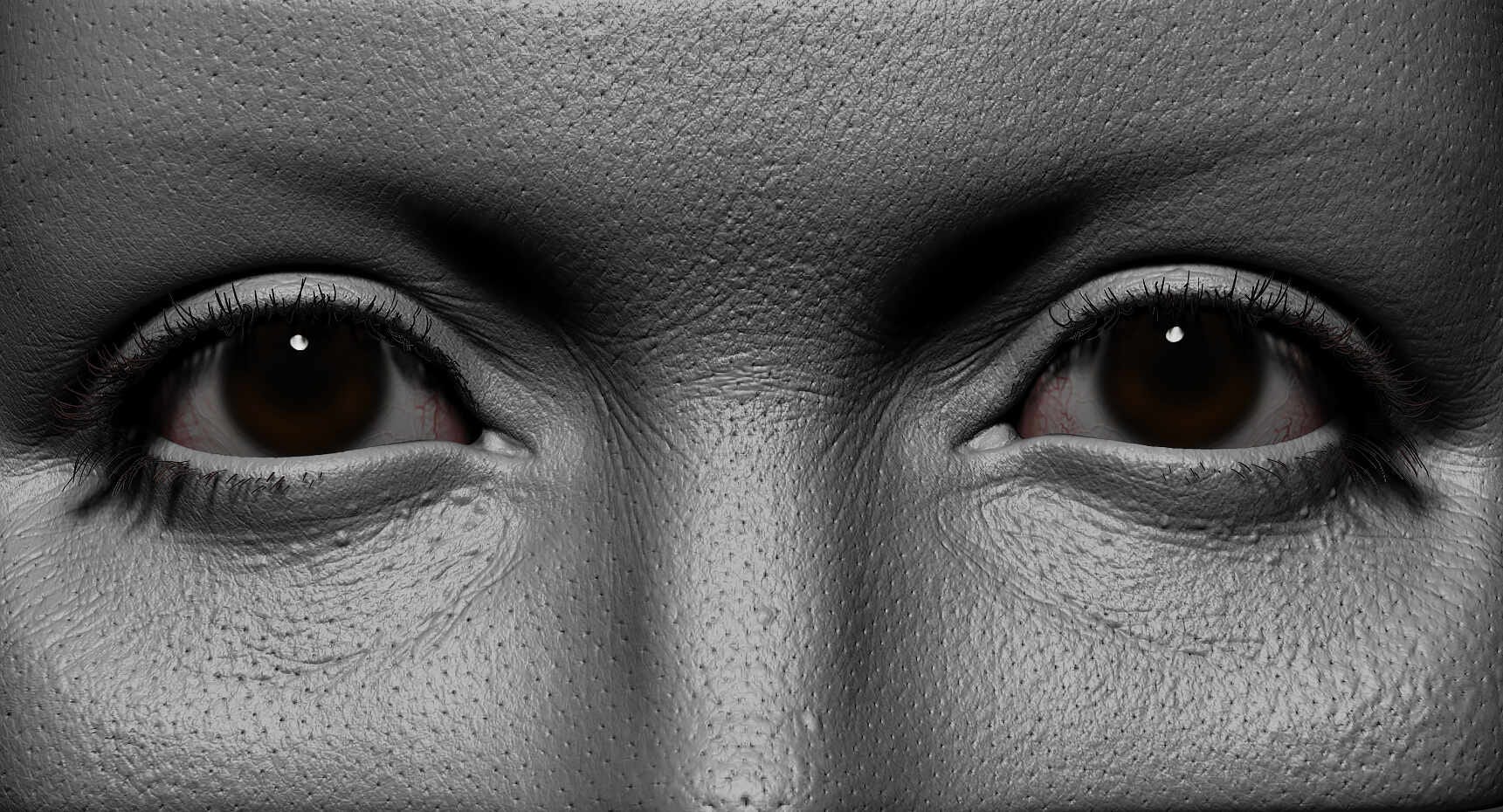
Then sculpting tools came along, most notably ZBrush, and everything changed. Sculptors could work the way actual sculptors work: start with a rough form and push and pull the surface into shape, adding detail wherever the eye needed it. The results were extraordinary. Super-detailed models with skin pores, fabric weaves, and muscle definition that hand-built polygon models struggled to match.
The catch was that the mesh underneath those beautiful surfaces was a disaster. ZBrush is a brilliant tool but it doesn’t worry itself with edge loops or animation-friendly geometry. It thinks about capturing surface detail, so it generates millions of tiny polygons packed wherever they’re needed to hold that detail. The mesh looks like static noise, not like deliberate structure.
You can’t rig that. You can’t animate it. And in most cases, you can’t even render it efficiently at production scale because the polygon count is absurdly high.
Retopology was the solution. Artists started building a second, clean mesh directly on top of the high-res sculpt, tracing the surface carefully, placing loops where the form required them and keeping polygon counts manageable. The high-res sculpt captures the detail. The retopologized mesh is the version that actually goes into production.
Oh the humanity!!!
I keep coming back to human characters when explaining this because they make the stakes obvious.
Around the mouth and eyes, you need dense geometry arranged in circular loops. When a character speaks, the mouth opens and closes and stretches into different shapes. When they blink, the eyelid slides over the eyeball and deforms back. Those loops are what allow the geometry to follow that motion without tearing or collapsing. Pull them out and replace them with random triangles and the deformation looks broken.
The back of the head is a different story. The back of someone’s skull barely moves during normal facial animation. You can use far fewer polygons there, arranged simply, and the render and the animation will look identical to the dense version. Adding polygons where they aren’t needed just slows down the render and makes the rig harder to work with.
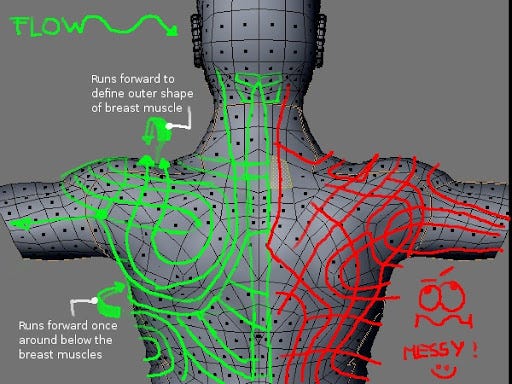
Good retopology is about reading the model and asking: what does this surface need to do? Then distributing geometry accordingly. Dense and deliberate where motion happens. Lean and efficient everywhere else.
Who does this and when
Retopology shows up anywhere you’re working with a model that wasn’t built in a way that produces clean, production-ready geometry. So anything sculpted, anything generated through photogrammetry, and now anything coming out of an AI mesh tool.
It also shows up in product visualization and e-commerce when geometry comes from engineering CAD software. CAD files are built with mathematical precision for manufacturing, not for rendering. The polygon structure that comes out of a CAD export is often chaotic, and converting it into something a render engine can work with efficiently is its own form of retopology.

And now it shows up in AI generation workflows, which is why this topic is suddenly a lot more relevant.
The AI problem retopology doesn’t solve and the one it does
Every major AI mesh generation tool (Meshy, Tripo, Kaedim, and the others) produces geometry the same way: it roughly matches your image or description, but the underlying mesh is a mess.
Some of these tools now include automatic retopology features. You generate the mesh, click a button, and it attempts to clean up the topology for you. Useful, but incomplete.
Automatic retopology tools are good at making cleaner geometry. They’re not good at understanding purpose. An algorithm that doesn’t know your character needs to smile doesn’t know to put a loop around the mouth. An algorithm that doesn’t know your product shot is a static render doesn’t know it can safely reduce the poly count without losing anything that matters.

This is where human judgment still matters in the pipeline. Not because the tools are bad, but because good retopology requires understanding what the model needs to do and that context lives with the artist, not the software.
The artists who understand this have a real advantage right now. People are keeping an eye on what AI generation can produce in a few seconds. Fewer people are thinking about what comes after the generation, when that mesh actually has to function within a real workflow.
The tools worth knowing
For manual retopology, the main options are Maya’s Quad Draw tool, which lets you place polygons directly onto an existing surface, and equivalent tools in Blender, where a combination of native shrinkwrap functionality and addons like RetopoFlow give you similar control. 3D Coat has long been a favorite for dedicated retopology work and is worth knowing if you do a lot of it.
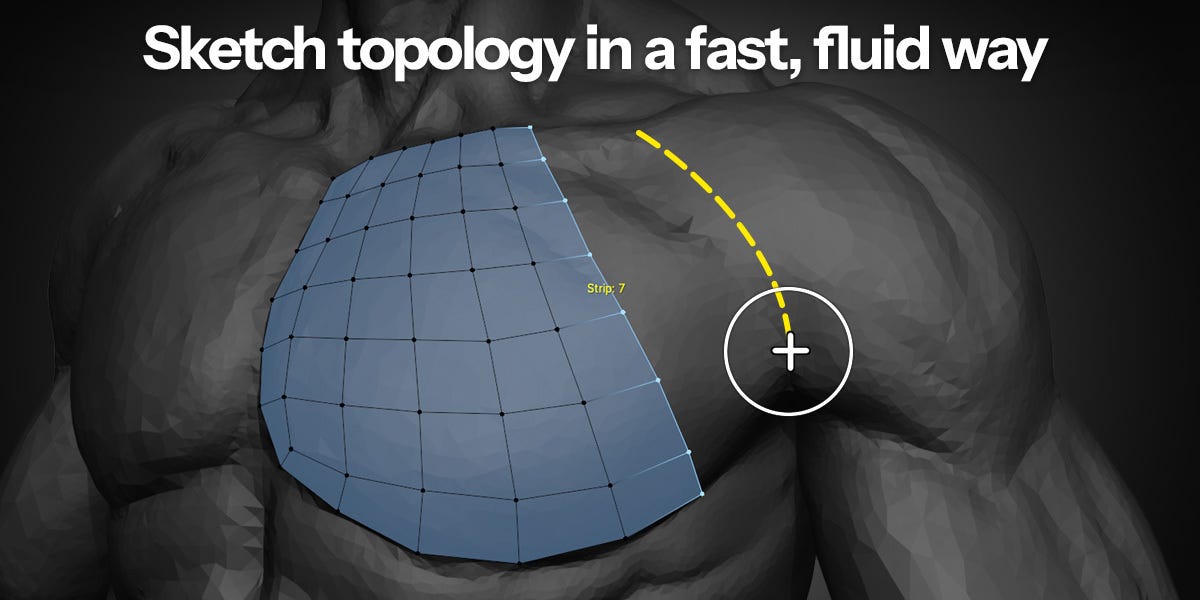
For automatic retopology, ZBrush’s ZRemesher is the most widely used and produces reliable results for organic surfaces. Instant Meshes is free and open source and handles situations where you need clean quads fast. The AI generation tools with built-in retopology are improving quickly and are increasingly viable for simpler geometry.
None of the automatic tools replace understanding why the result looks the way it does. The artists who get the most out of them are the ones who know when to trust the output and when to fix it by hand.
The invisible craft
Retopology is one of those disciplines that disappears when it’s done well. Nobody looks at a finished character animation and thinks about the edge loops that made the smile work. The craft is invisible.
But that invisibility cuts both ways. When retopology is missing or wrong, everyone notices. The face that can’t emote properly. The uncanny valley you can’t explain but can’t escape.
The question “Can AI fix this?” will get asked about retopology for a long time. The answer is: sometimes, increasingly yes, and never completely. Because a tool can clean up geometry, but it can’t tell you what the geometry is supposed to do.
That part is still yours.

Who Am I?
3D Merch is here and we have a new hoodie!
3D News
Blender Users Can Now Animate Gaussian Splats With 3DGS Render 5.0 — 80.lv
New AI Tool Speeds Up the Most Tedious Part of 3D Modeling — Foro3D
Autodesk’s Free New Tool Offers an Easy Way Into 3D Modelling — Creative Bloq
How Art for Substance 3D Painter’s New Splash Screen Was Made — 80.lv
LightWave 2026 Update: See What’s New — 80.lv
3D Job Spreadsheet
Link to Google Doc With A TON of Jobs in Animation (not operated by me)
Hello! Michael Tanzillo here. I am the Head of Technical Artists with the Substance 3D team at Adobe. Previously, I was a Senior Artist on animated films at Blue Sky Studios/Disney with credits including three Ice Age movies, two Rios, Peanuts, Ferdinand, Spies in Disguise, and Epic.
In addition to his work as an artist, I am the Co-Author of the book Lighting for Animation: The Visual Art of Storytelling and the Co-Founder of The Academy of Animated Art, an online school that has helped hundreds of artists around the world begin careers in Animation, Visual Effects, and Digital Imaging. I also created The 3D Artist Community on Skool and this newsletter.
www.michaeltanzillo.com
Free 3D Tutorials on the Michael Tanzillo YouTube Channel
Thanks for reading The 3D Artist! Subscribe for free to receive new posts and support my work. All views and opinions are my own!