

WTF is a Render Engine?
What it is and why it’s the hidden reason 3D artists are better at AI than everyone else

When I was lighting animated films at Blue Sky, there was a phrase we used to calibrate whether a render was worth optimizing: “Don’t even look at it unless it’s taking more than 30 hours per frame.”
Thirty. Hours. Per frame. At 30 frames per second, that’s a single second of film taking three months of compute time on a single machine. If we were rendering the entire 90-minute film at 30 hours per frame on one machine it would take over 500 years to complete. If Christopher Columbus would have clicked ‘Batch Render’ before he departed across the ocean, it still wouldn’t be done.

All that to say, understanding and utilizing render engines is key to 3D workflows. But before we can get into the nitty gritty...let’s answer the question I’ve been asked a few times by new artists over the last few years...
WTF is a Render Engine anyway?
What a render engine actually does
A render engine takes the data inside a 3D file (the geometry, lights, materials, camera position, etc) and converts it into a fully realized images. It’s the translator between the math and the picture. Every 3D application has some version of this baked in, and for years, that’s all anyone knew. You worked in Lightwave, you rendered in Lightwave. Maya’s had a default Hardware renderer but the main renderer was called Mental Ray.
But studios, especially Pixar with their in-house renderer called RenderMan, started discovering that purpose-built renderers could do things the general-purpose ones couldn’t. The results weren’t just incrementally better. They were a different category of image quality. And once artists saw that, they wanted in.

So the industry did what it always does when something works: it decoupled. Artists would still model in Maya, rig in Maya, animate in Maya. But at the rendering step, they’d hand the scene off to something else entirely. A separate piece of software or an independent renderer brought into may to process the job.
The two flavors of renderer
Every renderer alive today falls into one of two camps....
Ray-traced/Path-traced renderers — Arnold, Redshift, V-Ray, RenderMan — were built around a simple obsession: accuracy above all else. They simulate light the way light actually behaves, tracing rays from the camera into the scene and following those rays through bounce after bounce until the image converges on something that looks real. The 30-hours-per-frame thing isn’t a bug. It’s the price of doing physics right. These renderers have historically lived in film, VFX, and high-end visualization, where time is something you can throw at a problem if the result is worth it.
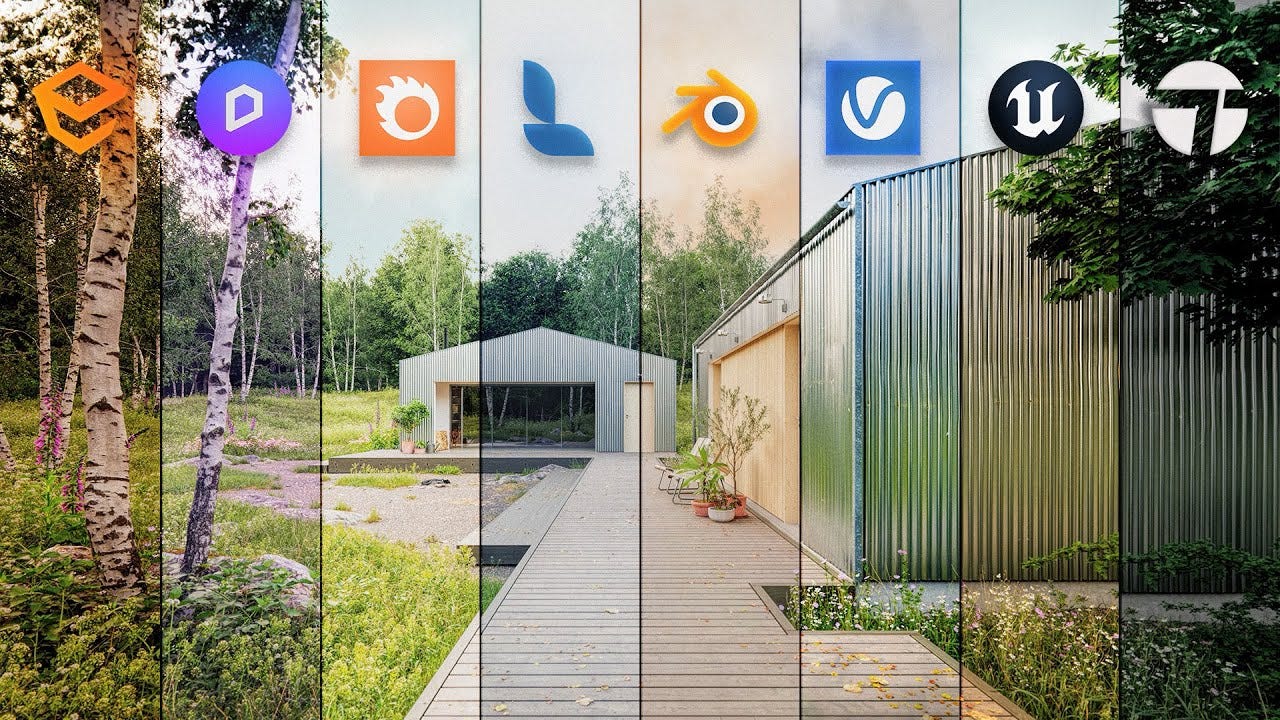
Real-time renderers — Unreal Engine’s built-in renderer, EEVEE in Blender, and real-time renderers built into other game engines came out of a completely different need. Games can’t wait 30 hours. They need a new frame 60 times per second, which means they’ve always been in the business of cheating cleverly. Pre-calculated lighting, screen-space approximations, carefully tuned tricks that look right without being physically correct. For a long time, the gap in quality between these two worlds was obvious the moment you looked.
That gap has been closing fast. Modern GPU hardware (NVIDIA’s RTX architecture especially) brought real-time ray tracing into the picture. Meanwhile, path-tracing algorithms got smarter about reaching a usable result sooner, with adaptive sampling and denoising meaning you no longer have to wait for a fully converged image to get something you can actually use. You’re seeing full feature film productions now being completed inside Unreal Engine and other real time renderers. And motion graphics artists who spent their careers in Cinema 4D are picking up Redshift because they want offline render quality in their commercial work. The two worlds haven’t fully merged, but they’re having a lot more conversations at parties.
What actually moves between renderers (and what doesn’t)
Here’s where it gets practical, because this is the thing nobody explains clearly until you’ve already wasted two hours figuring it out.
Your geometry travels fine. A mesh is a mesh is a mesh. Bake your animation into it, export as FBX or USD, and most renderers will open it without complaint.
Hair and fur get dicey. Some renderers have their own fur-specific shading systems that don’t translate, but even that you can work around by converting hair to actual geometry before export.
Materials and lights are where it falls apart. A shader built in Redshift is not the same thing as a shader built in Arnold. They might look similar if you’re squinting, but technically they’re different animals. The nodes, the inputs, the math underneath for each renderer has its own dialect. Moving a scene from one renderer to another means rebuilding the look from scratch, not just opening a file. Area lights and spotlights are the same story. An HDRI will usually survive the trip. A custom three-point setup probably won’t.

This is exactly why MaterialX and OpenPBR exist. They’re the industry’s attempt to create a common language for materials across renderers, the same way USD tries to be a common language for scene data. It’s genuinely promising work. It’s also genuinely in progress, which means you can’t yet assume it’ll just work. Companies are going to company, and each one ships support at its own pace.
The AI thing
Here’s the part of this article that isn’t about render engines at all.
If you’ve spent any time in modern AI image tools like ComfyUI, Stable Diffusion, any of the agentic pipelines being built right now, you may have noticed something: they’re weirdly fragmented. You use one tool to prep your input, another to generate, another to upscale, another to composite. Nothing fully talks to everything else. It feels chaotic and unintuitive, and most people who didn’t grow up in creative technology are struggling to make sense of it.

We’ve been doing this for a long time. Model in Maya, rig in Maya, but pull in effects from Houdini, bring in a separate render engine into a DCC and render AOVs and bring those passes into Nuke for compositing, and debug accordingly. We built careers on stitching together compartmentalized workflows where each tool does one thing well and you’re responsible for the handoffs.

GenAI image tools are not 100% unlike render engines. You feed them geometry in the form of 3d models, prompts, and reference images. They calculate the output. You don’t get it in one click so you render passes, iterate, comp layers together. The same instincts that helped you survive a broken material pipeline at 2am on a deadline are the ones that will help you actually ship something with these tools.
The artists feeling most lost in the AI transition are the ones who came from workflows where one tool did everything. The ones doing just fine, in my experience, are the 3D people who’ve always thought in pipelines.
Conclusion
So, WTF is a render engine? The short answer: it’s the software that takes everything inside your 3D scene and converts it into an image that can function on its own or be composited with other renders to create your final image. It’s the translator between the math and the picture.
The longer answer is everything above. The fragmented history. The two camps that are slowly becoming one. The shaders that won’t survive the move. And the weird, useful truth that the workflow habits this world forced on us, moving data between specialized tools, managing handoffs, debugging the gaps, are starting to look less like limitations and more like a competitive advantage.
And FYI...Christopher Columbus’ render crashed in 1637 and no one told him because…you know…

Who Am I?
3D Merch is here and we have a new hoodie!

3D News
Epic Games Officially Teases Unreal Engine 6 - 80.lv
DaVinci Resolve 21 Officially Released With New Photo Editing, AI Tools, and Much More - PetaPixel
How SUBMERGE Rendered Cinematic-Quality 3D Content Without A Traditional Render Farm - 80.lv
VHS Generator in Blender - Superhive
Rive has an updated! - Rive
3D Job Spreadsheet
Link to Google Doc With A TON of Jobs in Animation (not operated by me)
Hello! Michael Tanzillo here. I am the Head of Technical Artists with the Substance 3D team at Adobe. Previously, I was a Senior Artist on animated films at Blue Sky Studios/Disney with credits including three Ice Age movies, two Rios, Peanuts, Ferdinand, Spies in Disguise, and Epic.
In addition to his work as an artist, I am the Co-Author of the book Lighting for Animation: The Visual Art of Storytelling and the Co-Founder of The Academy of Animated Art, an online school that has helped hundreds of artists around the world begin careers in Animation, Visual Effects, and Digital Imaging. I also created The 3D Artist Community on Skool and this newsletter.
www.michaeltanzillo.com
Free 3D Tutorials on the Michael Tanzillo YouTube Channel
Thanks for reading The 3D Artist! Subscribe for free to receive new posts and support my work. All views and opinions are my own!