


So…You want to get into automotive 3D.
Maybe you are coming from VFX or games and watching the entertainment pipeline contract around you.
Maybe you are already doing product visualization and you can feel how close automotive sits to what you already do.
Maybe you just read seven deep dives about an industry you had never thought about and something clicked.
Let’s assume it’s that last one and I will just take all the credit.
Over the past three months, I have written that entire series: where the industry came from, how a car actually gets designed, what the tooling stack looks like, what CMF designers do all day, how to build a 150 percent USD file, how configurators work, and who to follow.


This is the last one. It pulls it all into a single place.
But I want this one to do something the others did not. Every time I write one of these series, the same message shows up in my inbox afterward. Not “this was interesting.” Something closer to: okay, but what do I actually do on Monday morning?
That is the entire article. What you do Monday morning.
First, understand how this industry makes money
Back in August of last year I laid out a six-step framework for moving between 3D industries, and step one was not about 3D at all. It was: figure out how the industry makes money, because it is almost never how you assume.

Here is automotive’s version of that.
A manufacturer does not make most of its money on the base vehicle. A large share of the margin lives in the options. Trim packages, paint upgrades, wheel packages, interior materials, technology bundles. The difference between a base truck and a fully loaded one is tens of thousands of dollars, and the profit on that gap is significantly better than the profit on the truck itself. Dealers, separately, make a huge portion of their money on financing and service rather than on the sale.
Sit on that for a second…
Because it does explain why a company would pay a team to build a single file containing every possible version of a vehicle. It explains why the configurator is treated as critical revenue infrastructure instead of a marketing toy. It explains why CMF designers spend months validating a leather grain nobody will consciously notice. Every one of those jobs exists to sell options, and options are where the money is.
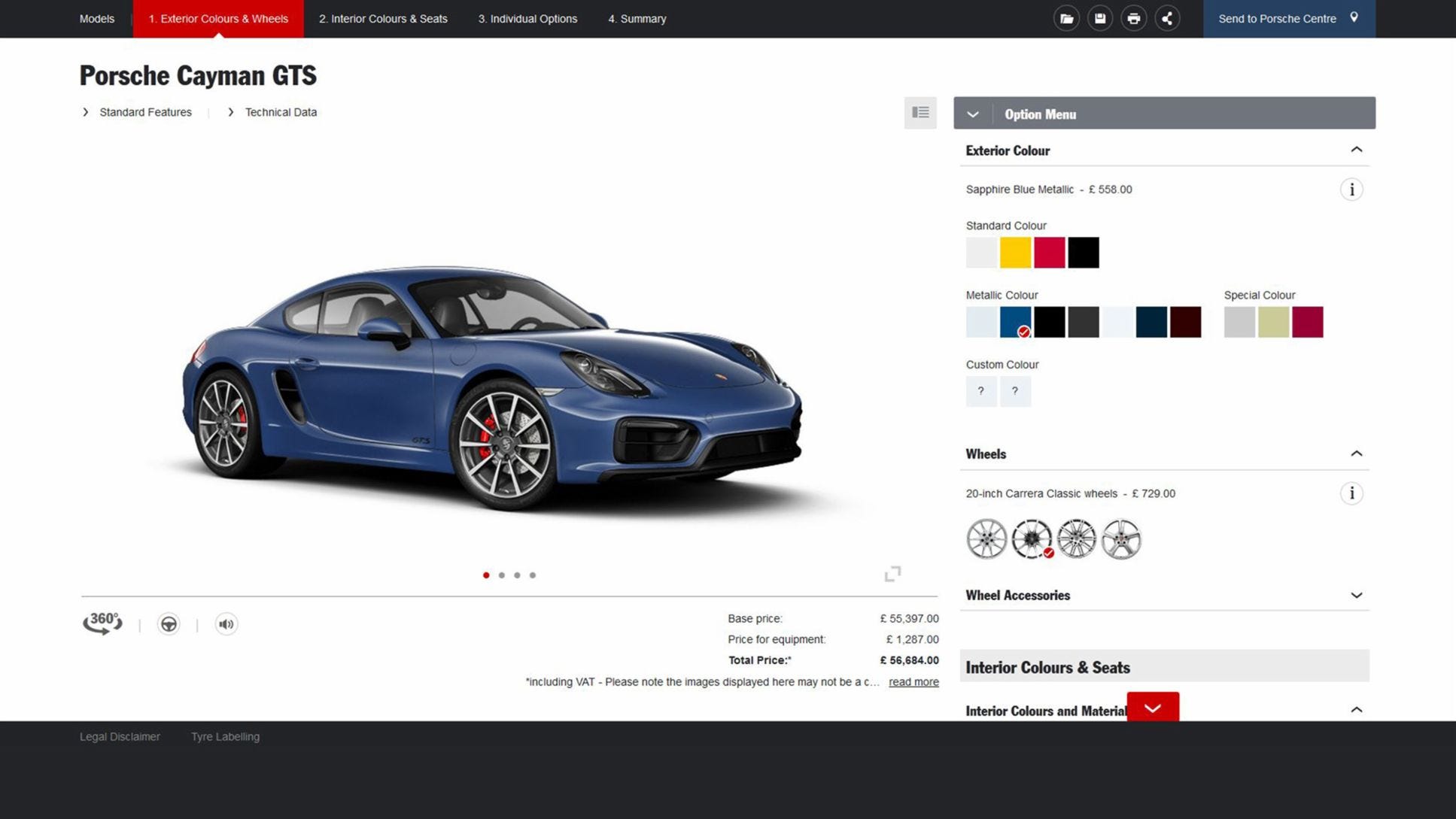
Once you see that, you stop pitching yourself as someone who makes cars look cool and start pitching yourself as someone who helps people choose the expensive version. Those are very different job applications.
Pick one of the four lanes. Not all four.
The most common mistake I see is an artist deciding they want to work in automotive and then applying to every automotive job with the same reel. Automotive contains at least four separate jobs, and they barely overlap.
Design visualization. You sit inside an automaker’s design studio and make images that internal decision makers act on. Your tool is Autodesk VRED, which functions as this world’s Maya. You work alongside Alias surface modelers and increasingly with designers blocking out forms in VR with Gravity Sketch. Ford has posted this exact role as a Digital Configuration and 3D Visualization Specialist, building models for design reviews on monitors, power walls, and in headsets. If you come from lighting or lookdev, this is your closest landing spot.


CMF and materials. You own color, material, and finish. You process appearance scans from an X-Rite TAC7, HP Captis, or a Vizoo xTex, validate them against physical samples and Pantone references, and make sure a material reads correctly across every render engine in the building. Some postings require you to pass the Munsell Hue Test, which is a formal color discrimination exam. General Motors has posted a Senior Technical Artist role specifically for materials and procedural environments. If you are a texture or material artist, you are closer to this than you think.


Configurator and real-time. You build the thing customers actually touch. This is USD variant authoring, three.js and WebGL, Unreal, pixel-streamed Omniverse, and the discipline of making something photoreal enough to sell on hardware you do not control. Companies here include OEM digital teams, ZeroLight, and platform vendors. If you came from games, this is the shortest walk in the entire industry.
Marketing CGI. You work at an agency or studio making advertising imagery, most of which hasn't been a photograph for years. Maya, Houdini, Blender, V-Ray, Arnold, Redshift. McLaren has posted for a Senior Visualisation Artist. Agencies working automotive accounts hire constantly. If you are a generalist with a strong render reel, this is the most familiar door, and also the most competitive.
Four lanes, four different portfolios, four different vocabularies. Choose one before you build anything. You can move between them later. Almost nobody gets hired into them simultaneously.


Learn two concepts before you learn any software
You do not need to master Alias to work in automotive. You do need to be able to hold a conversation about two things without bluffing.
The first is Class A surfacing. This is the precise, NURBS-based modeling that defines the visible outer skin of a vehicle, and the standard is brutal. Continuity between surfaces has to be perfect because a highlight running down the side of a car will expose a flaw your eye cannot consciously find. Class A modelers are a specialized discipline with their own career track. Your job is not to become one. Your job is to understand what they hand you and why they care so much.
The second is CAD conversion, where most of your early employable value will sit. Every car starts as CAD, usually CATIA, and CAD exists to be manufactured, not rendered.

Converting it to polygons creates broken normals, unwanted hard edges, non-watertight gaps, and a mesh density that will melt your machine. Tools like Pixyz and RapidPipeline automate a lot of that cleanup. They do not automate all of it, and the gap between what automation fixes and what a person has to fix is a real job.
Here is your first practical assignment, and it takes one afternoon. Go to GrabCAD, download a free vehicle or vehicle component in STEP format, and convert it. Bring it into Substance 3D Stager, KeyShot, or Blender and actually look at what broke. Fix it. Write down what you did.
That single exercise puts you ahead of a surprising number of applicants, because it means the first time you encounter a broken CAD conversion will not be in an interview.
Build one piece. Not a reel.
Entertainment trained us to build reels. 1-3 minutes of our best work, cut to music, proving we can do everything. In automotive, that reel is just noise, because the person hiring you is trying to answer one question: can this person be trusted with a decision?
So build one piece that answers that, tuned to the lane you picked.
If you chose configurator or real-time, build a 150 percent USD file. I wrote a full walkthrough on exactly how to do this in the 3D Automotive Deep Dive 05 - The Super USD File and How to Actually Build One article, and the tooling gap that used to make this an engineer-only task has mostly closed. Decide your variant axes, build the assets in Maya or Blender the way you already know how, author the variant sets through the OpenUSD API or describe them to Claude Code and let it write the script, then push it to a browser viewer so someone else can click through your options themselves. A link where a stranger switches paint and wheels off your single source file is worth more than six rendered stills pretending to be a system. Almost nobody outside of working automotive studios is building portfolio pieces this way yet.
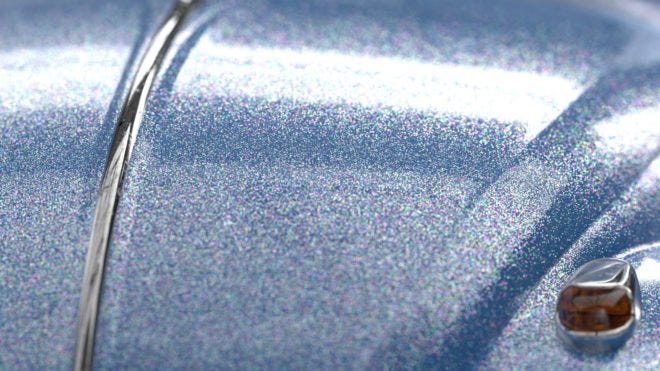
If you chose CMF or materials, do a paint study. Pick one manufacturer’s actual named color. Build it as a real layered material with flake and clearcoat. Then render it under four lighting conditions: overcast, direct sun, showroom, and a garage fluorescent. Show all four side by side. That single image set demonstrates that you understand metamerism, that you know a color is not a value but a behavior, and that you know who the render is for.
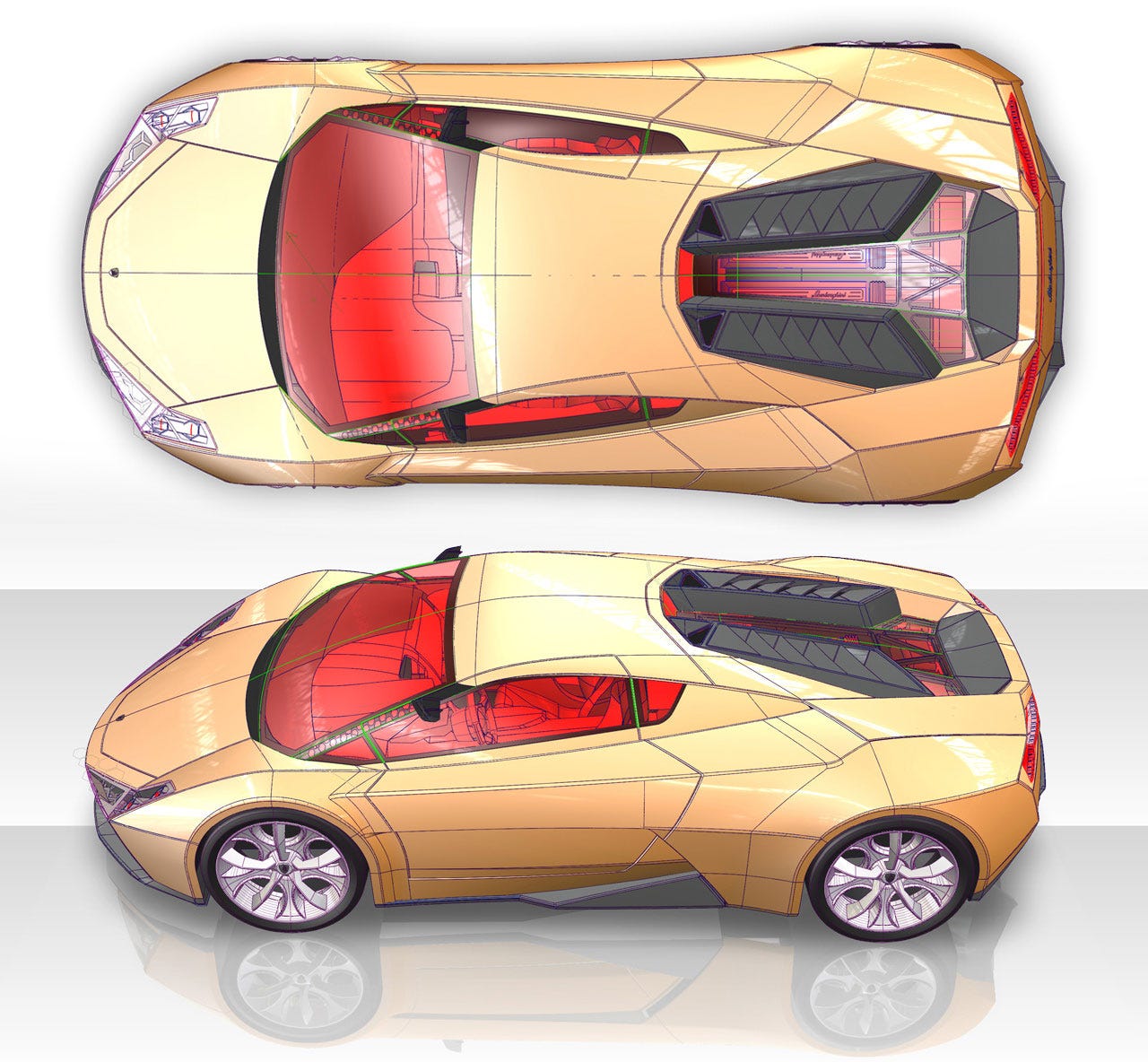
If you chose design visualization, take the CAD file you cleaned up and present it the way a design review would. Multiple angles, consistent lighting, a power wall crop, and a clear comparison between two options. No hero angle, no dramatic rim light, no lens flare. Make it boring on purpose. Boring on purpose is the skill.
If you chose marketing CGI, you already know what to build, and your competition is fierce. What will separate you is a breakdown that shows the CAD you started from and the cleanup you did to get there, because most reel-only artists cannot show that part.
Unlearn the instinct to make it beautiful
This is the hardest step and it involves no software at all.
Everything you were trained to do is about making an audience feel something. Cheat the light. Push the saturation. Scale the texture so it reads better in frame. Those instincts are correct in film and they are actively dangerous in automotive.

When a CMF designer scales a leather grain because it looks better in the render, they have not improved the image. They have broken it. An executive approves a seat, the physical sample arrives six months later and reads completely differently at real scale, and now there is an expensive conversation about why the thing everyone signed off on isn’t the thing in the room.
The render’s job here is to be the true version of the material, never the best version. Every artistic liberty quietly spends down the trust that makes the whole role exist.
Practice exercise, and it costs nothing: pick a material you physically own. A leather bag, a brushed metal pan, a plastic controller. Photograph it in real light. Then build it in 3D and match it. Not improve it. Match it. Put your render next to the photograph and be honest about the differences. Do that five times and you will have retrained a muscle that took you a decade to build in the other direction.
Learn the words so you can find the jobs
Searching “3D artist automotive” will show you a fraction of what is open. The titles are all over the place.
Watch for: Digital Configuration Specialist, 3D Visualization Specialist, Visualisation Artist, Digital CMF Designer, Surface Modeling Artist, Technical Artist for Materials, Configurator Developer, 3D Web Artist, XR Experience Designer, Digital Product Designer.

Then widen where you look. The OEMs are obvious: Ford, General Motors, Stellantis, Honda, BMW, Rivian, Lucid, Polestar, McLaren. Less obvious and often easier to get into: the agencies and production studios holding automotive accounts, the configurator vendors, the aftermarket and customization world, and the tool companies themselves. And remember that automotive in this series never meant only cars. Motorcycles, ATVs, boats, RVs, camper vans. Anything with an engine and a price tag high enough that people research before they buy runs the same playbook with less competition for the roles.
Then go stand in the rooms
Follow the artists actually publishing this work, read Car Design News and Car Body Design until the vocabulary stops feeling foreign, and get to the events where the OEM people and the CGI people are in the same room. Autodesk’s Automotive Innovation Forum, Car Design Dialogues in Milan, SEMA, CES, SIGGRAPH.
At SIGGRAPH a while back, a woman from a major fashion brand told me she had reviewed two hundred portfolios from VFX and gaming applicants and hired exactly none of them. Not because the work was bad. Because not one of them showed any curiosity about the business itself. They treated the industry like another set of assets.
That is the trap, and it is the same trap in automotive. The technical skills get you considered. The curiosity gets you hired.
Ninety days, realistically
Weeks one and two: pick your lane and read. Car Design News and Car Body Design daily. Learn what Class A, tier one, OEM, homologation, and 150 percent file actually mean.
Weeks three and four: download a CAD file, convert it, break it, fix it, document it.
Weeks five through eight: build the one piece for your lane. Finish it. Finished work is the only kind that counts.
Weeks nine and ten: write it up as a case study rather than a beauty shot. What decision would this image support? What did you verify and how?
Weeks eleven and twelve: put it in front of people. Apply, post it, send it to three humans whose work you have been following for the last eighty days.
That is a quarter of a year. It is not fast, and I would be lying to you if I said it were.
The part that should give you pause
Here is the thing I keep circling back to, and I want to be honest about it rather than closing on a pep talk.
You are considering a move into an industry where the best work you will ever do is work almost nobody sees. No credit at the end of a trailer. No post going viral. No breakdown reel getting passed around. The measure of the job is not whether the image moved someone. It is whether the image told the truth, and truth does not photograph well.
I have spent my career on the other side of that. I lit shots so audiences would feel things. That was the entire point. And I am now telling a lot of artists who trained the same way to walk toward work with no audience at all.

I think it is worth it. The work is more interesting than it sounds from the outside, the industry needs people who understand light and material at this level, and you are not starting over. You are stacking domain knowledge on top of a technical foundation most people in that building do not have.
But you should walk in knowing the trade. You will get better at something real and get worse at being seen doing it.
If that sounds like a downgrade, this is not your industry, and that is a completely fine answer to arrive at.
If it sounds like a relief, you already know what Monday looks like.

Who Am I?
New 3D Artist Merch!
New 3D Artist swag is here!
We ran a design contest inside the community, and Randy Mills took it home with a CMYK sweatshirt design that’s honestly too good not to wear.
Grab yours today.


3D News
Software & Tools
ArmorPaint 1.0 is out after eight years in early access - CG Channel
Apple unveils new M5 Ultra and M6 processors - CG Channel
SuperSplat Editor 3.0 is a huge performance update - CG Channel
Check out promising new Blender retopology tool Smart Remesh - CG Channel
Maxon releases Redshift 2026.9 - CG Channel
AI + 3D
ArtStation Will Block AI Crawlers From Scraping Artists’ Work - 80 Level
World Labs announces Atlas - World Labs
Adobe releases After Effects 26.5, plus experimental new AI Assistant - CG Channel
Interview: New Indie Game Uses Local AI Model Trained on Studio’s Own Artists - 80 Level
How Tripo Is Tackling Clean Topology for its 3D Asset Pipeline - 80 Level
Max Ultra MCP connects AI agents to 3ds Max - CGPress
Industry News
Zerply Is Closing After 16 Years - 80 Level
Prime Video cancels ‘Spider-Noir’ after one season - Animation World Network
Vicon acquires Captive Devices, facial capture firm - Animation World Network
3D Job Spreadsheet
Link to Google Doc With A TON of Jobs in Animation (not operated by me)
Hello! Michael Tanzillo here. I am the Senior Director of Business Development at KitBash3D (Greyscalegorilla, Artstation, Sketchfab). Previously, I was the Head of 3D Tech Artists at Adobe and a Senior Artist on animated films at Blue Sky Studios/Disney with credits including three Ice Age movies, two Rios, Peanuts, Ferdinand, Spies in Disguise, and Epic.
In addition to my work as an artist, I am the Co-Author of Lighting for Animation: The Visual Art of Storytelling and the Co-Founder of The Academy of Animated Art, an online school that has helped hundreds of artists around the world begin careers in Animation, Visual Effects, and Digital Imaging. I also created The 3D Artist Community and this newsletter.
www.michaeltanzillo.com
Free 3D Tutorials on the Michael Tanzillo YouTube Channel
Thanks for reading The 3D Artist! Subscribe for free to receive new posts and support my work. All views and opinions are my own!